How our team works with AI agents through one shared folder
Our team keeps one folder — accounts, sources, a wiki — synced to every teammate's machine, so every AI agent reads and writes the same files. Nothing needs an integration, because agents already use a filesystem. Artifacts get a link instead of an upload, edits replace round trips, and every change keeps its history.
At 9:14 in the morning, Bale posted an account report for a customer into Slack. An HTML file — real charts, clean layout, the kind of thing that took our team a week to produce two years ago.
By 1:47 I had feedback: the usage numbers were a month stale, and it opened with our roadmap instead of their problem. By 4:02 there was a -v2.html. By 9:31 that night I had more feedback. By 10:58 the next morning there was a -final.html.
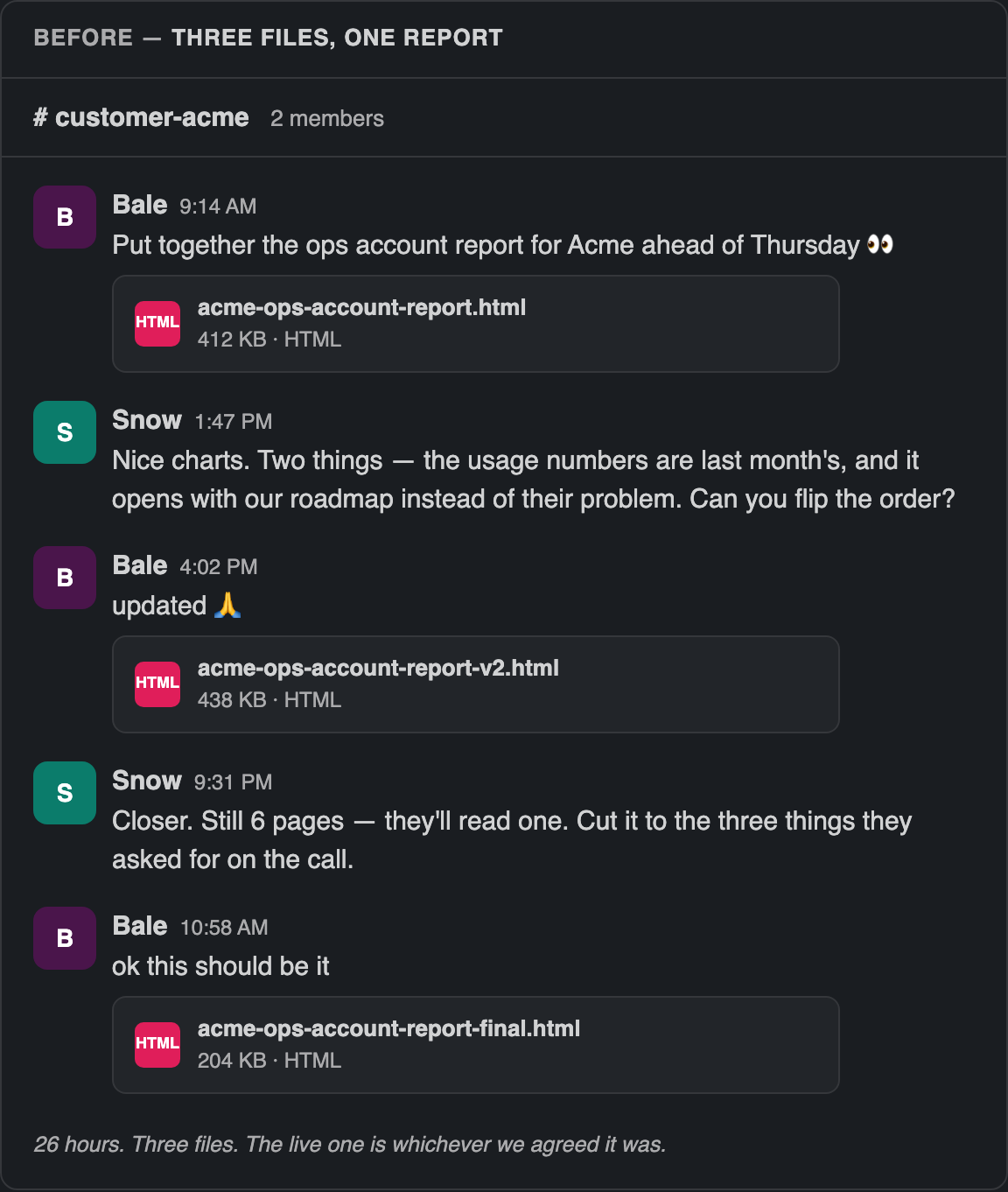
Twenty-six hours, three files, two rounds of me typing feedback that my own agent could have applied in ninety seconds. And a week later, when I actually needed that report, I searched Slack, found all three, and could not tell you which one we sent.
Nobody did anything wrong here. This is just what happens when your team gets good at making things with agents and has nowhere to put them.
What actually breaks when a team shares agent artifacts in Slack?
The artifacts are fine. Everything around the file breaks: there is no convention for where things go, no way to find one later, no way to edit someone else's, and no record of which version was the real one.
Everyone on our team had, without discussing it, drifted from Notion pages and dashboards toward agent-built HTML documents: progress reports, KPI rollups, customer research, finances, decks, PRDs. The visuals were genuinely good. The problem was never the document.
- Some people uploaded them to Slack. Some published them and pasted a link. There was no convention, because there was nowhere for a convention to live.
- I couldn't find one when I needed it unless I remembered the channel and roughly when it was posted.
- I couldn't edit one. I could only ask the person who made it to edit it.
- If I wanted my own agent to pick up the work, I had to download the file and hand it over.
- We were losing the history. Not "there's no undo" — there was no record. Which version went to the customer? Who changed the number?
- And underneath all of it: I had no confidence that a month of our team's best thinking was organized anywhere at all.
That last one is the founder version of the problem. The first five are annoyances. The sixth is the company forgetting things.
Why is every agent-written report six pages long?
Because length is how an artifact performs effort. The model has no way to know what you already know and no cost function for your reading time, but it has one very legible signal for "I did the work": volume.
Ask an agent for a report and you will get a beautiful one. Gradient header. Four charts. An executive summary, then the same content again at length, then a "key takeaways" section that is the executive summary a third time. Six pages where two would do.
That's not a flaw in the model. It's the model reading the room correctly. Two things follow, and they are the reason a folder helps more than a better prompt.
Reports get longer, so they get read less. The 400 KB HTML file with the beautiful charts has a real chance of being opened once, by the person who asked for it, and never again. The effort is real; the readership isn't.
Editing beats re-requesting. The fix for a six-page report is not a better prompt — it's cutting four pages. That's ten seconds of editing and a full regeneration cycle of asking. But you can only edit a file you have. If the artifact exists only as an upload inside someone else's Slack message, your one available verb is "ask them to redo it," so that's what everyone does. Three files later you have a report nobody trusts.
Which is a long way of saying: the verbosity was annoying, but the round trip was the actual cost.
What else did we try, and why didn't it hold?
We tried Notion, Google Drive, Slack itself, a git repo, and Cloudflare Pages. Every one of them solved the sharing and left the finding, editing, handoff, and history untouched.
- Notion. Agents can't naturally write to it. Every save is an integration, and the document stops being a file.
- Google Drive. Syncs bytes for humans to click. My agent can't grep a Drive folder.
- Slack. Search is where documents go to die. And an upload has no identity — only a timestamp.
- A git repo. Works great for the people who use git. Nobody else was ever going to open a pull request to fix a customer deck.
- Cloudflare Pages. Solved publishing. Publishing was one of six problems.
Why does a shared folder work when integrations don't?
Because agents already know how to use a filesystem. Every tool we evaluated asked us to teach an agent a new surface — an API, an MCP server, a connector, a token — when every one of our agents could already read a file, write a file, list a directory, and search a tree natively, with no setup.
The gap was never capability. The gap was that my agent's folder and Bale's agent's folder were different folders.
So: the same folder. On every machine, for every person, for every agent. The sharing, the finding, and the history all fall out of that one property.
We built BearDrive to be that folder — Google Drive for AI agents. It's open source. (Honest chronology: we had started building it for a different reason. Then this happened to our own team and we became our worst, loudest customer.)
How does our team actually work now?
Every person has their own agent — Claude Code, Codex, a couple of homegrown ones — and all of them mount the same folder. No standardization on tools, total standardization on where things live.
Here's the real tree, migration cruft included:
team/
  AGENTS.md              the routing rules; travels with the folder
  accounts/              one folder per customer (~30 of them)
    acme/
      README.md          canonical deal state
      calls/  decks/  proposals/  collateral/  notes/
  sources/               raw, immutable. humans put things here, agents never edit
  wiki/                  agent-owned. agents write, humans direct
    index.md  log.md  research/  business-plans/  investor-updates/
  ops/                   operational output not tied to one account
  prds/                  product requirements, for the dev team
  assets/
Two rules do most of the work, and both live in AGENTS.md so no human has to remember them.
Raw goes in sources/ and is never edited. Synthesis goes in wiki/ and is always current. A customer call transcript lands in sources untouched forever. What we now believe about that customer lives in the wiki, gets rewritten as we learn, and carries a status and updated stamp. When an agent ingests something new it writes the source, updates the wiki page, and appends a line to the log. That log file is 240 KB now. It is the most useful file in the company.
Ownership is stated per layer, out loud. Sources are human. The wiki is agent-owned — agents create and cross-reference, humans direct and review. Accounts, ops, and PRDs are shared space. Anything already sent to a customer is a record: never edited, only superseded by a new dated file.
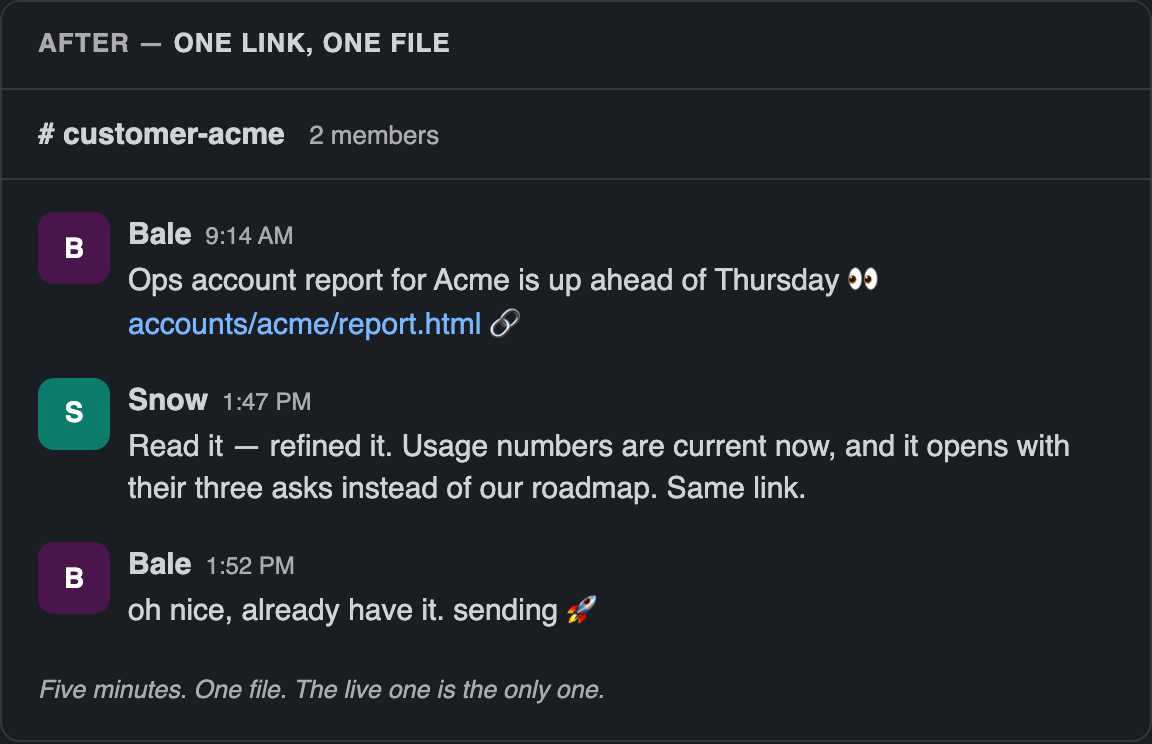
The same exchange, after. Bale finishes the report and posts a link. I don't download anything — the file is already on my machine, because it's the same folder. I tell my agent what's wrong with it and ask it to apply the changes. It reads the file it already has, edits in place, and the edit is on Bale's machine before I've finished typing the Slack message telling them I did it.
My engineer doesn't have to ask what the customer wanted. Yesterday's call notes are in sources, the synthesis is in the wiki, and their agent reads both before writing a line of code. The context transfer that used to be a meeting is now a path.
Every file has a link, and the link is part of how agents talk. When an agent mentions a synced file, it appends a hub link. So an agent's answer isn't "I updated the report" — it's the path itself, clickable, rendered in the browser, visible only to people in the project.
Board and personal folders use the same mechanism, different walls. Board materials sync to board members. My personal archive syncs only to my own devices. It's one primitive; the only thing that changes is who is in the project.
What can you learn from which files your team reads?
You learn which documents the company is quietly running on. Because agents read files through the same folder, reads can be counted — humans opening a file in the browser, someone following a share link, and agents reading or grepping a file during a session.
Folder listings get a heat dot. A dashboard plots every file on two axes: how much it's read, and how long since it changed.
Nobody warned me that the interesting quadrant is the top-right. Heavily read, never updated. That isn't a popular document — that's a document the whole company depends on that nobody has checked in four months. Every one I've found there has been load-bearing and stale, or load-bearing and wrong. Before this, the way we discovered those was a customer call going sideways.
The other surprise is how much of the reading is agents now. Our most-read page isn't the one people open. It's the one every agent loads before it starts.
It's counts only, by design — how many reads, how many distinct readers, when it was last read. Who read what never leaves the server. A knowledge base is where people go to be uncertain in private, and telling your team their reading is logged by name is how you get a knowledge base nobody reads.
How does the folder stay in sync?
Each device writes only its own append-only journal of changes, and every device replays all the journals into the same state. That's the whole design. Practically: you save a file, it's on everyone else's machine in a few seconds, with a record of who changed what and the ability to open any earlier version.
What doesn't a shared folder solve?
It's last-writer-wins, not real-time co-editing. If two agents edit the same file at the same moment, one wins and the other's version is preserved beside it as a conflict copy. There is, right now, a file in our team folder whose name ends in .bdrive-conflict-Snows-Mac-mini-20260803T071847Z. It has been sitting there since August 3rd. Nothing broke, nothing was lost, and nobody cleaned it up — which is roughly the correct outcome, and also exactly as tidy as it sounds.
A wiki still rots if nobody curates it. The folder does not think for you. We run a periodic lint pass — an agent reads for contradictions, orphan pages, and stale claims, and reports what it finds. Without that, the wiki would be a graveyard within a quarter.
There's no built-in vector store. Agents search it the way they search a codebase: grep, read, follow links. For a few thousand markdown files this is not the bottleneck people expect. It might be at a hundred thousand.
It uses local disk. Text is small. The 400 KB HTML report is the fat one, and there are thirty of those.
Who is this for?
Teams that already produce real work with agents and can't reliably find last month's version of it. Founders and ops leaders feel it first, because you're the one being handed the artifacts.
Product teams get a second thing: the business context ends up in the same shape as the code — a folder an agent reads without being asked.
If you're weighing this against Google Drive, Notion, or a shared repo, we wrote the honest version of that comparison at beardrive.ai/compare/.
How do you set this up?
Make the folder, write down where things go, and turn on sync.
mkdir -p team/{sources,wiki,accounts,ops,assets}
cd team
bdrive init
Then write an AGENTS.md that says two things: what goes where, and who owns which layer. That file is the entire system. Everything else is just the folder being in more than one place.
BearDrive is open source and free to start at beardrive.ai.
Questions
- How do AI agents share files across a team?
- Keep the files in one folder that syncs to every teammate's machine. Agents read and write local files natively, so nothing needs an integration — each person's agent sees the same tree, and an edit made by one agent is on everyone else's disk within seconds.
- Why do AI agents produce such long reports?
- Length is how an artifact performs effort. The model can't know what you already know and has no cost function for your reading time, so it optimizes for looking thorough. The fix is editing the file down rather than asking for a shorter regeneration.
- Can a team use Google Drive as shared memory for AI agents?
- Only awkwardly. Drive syncs bytes for humans to click, but an agent can't grep a Drive folder or treat a document as a file on disk. Agents need a local path, per-file history, and a link they can hand back to a person.
- What happens when two AI agents edit the same file at once?
- In BearDrive, last writer wins and the losing version is preserved beside it as a conflict copy, so nothing is lost. It is not real-time co-editing — if two agents routinely write the same document simultaneously, that's a sign the document should be split.